← Subjects

SKT · Robotics & Physical Computing

Micro:bit V2

A pocket-sized computer you can code, then hold in your hand. Every chapter builds real programs in Microsoft MakeCode, drawn block by block and runnable on the page, with the board itself photographed and labelled, and a quiz and a printable assignment at the end.

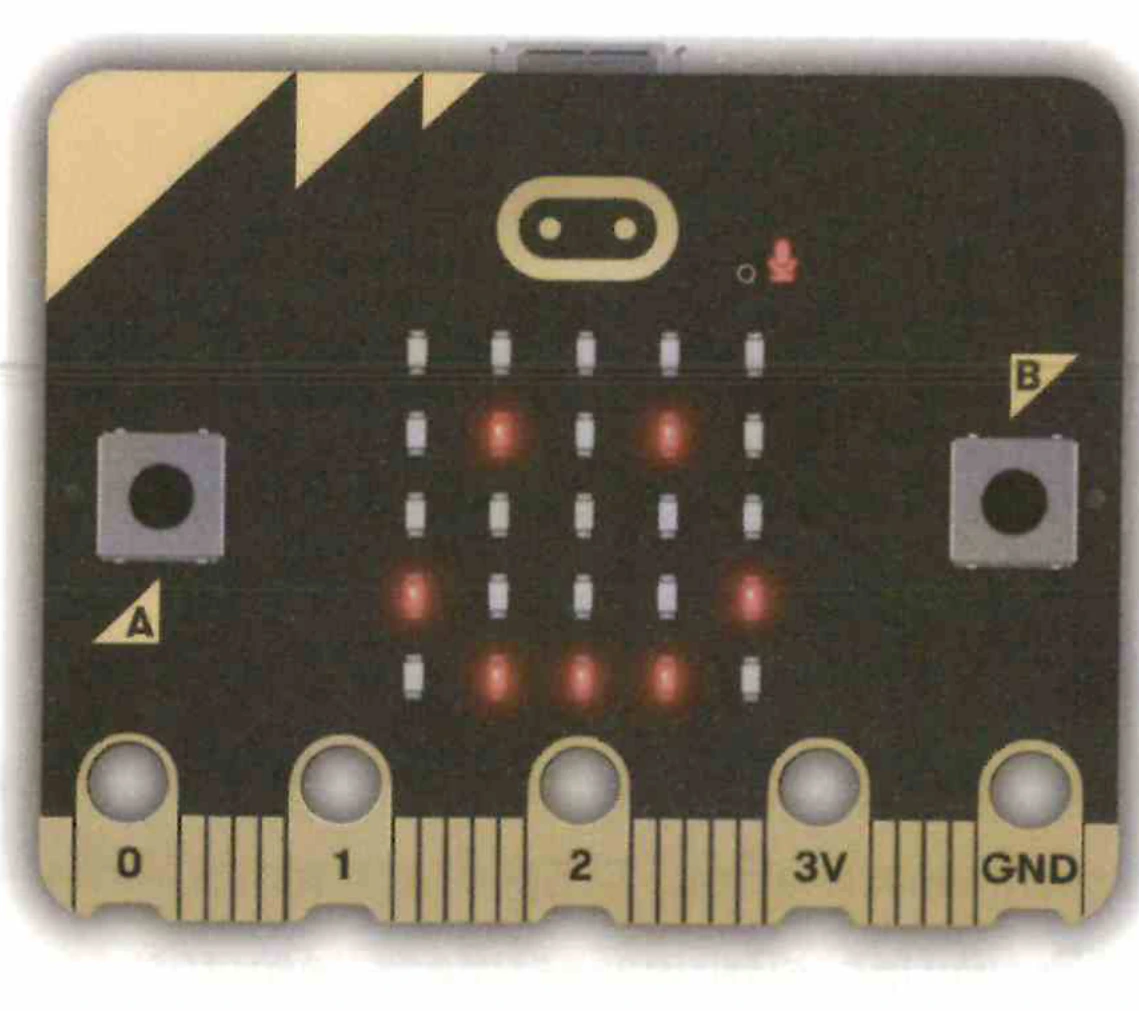
The front of a BBC micro:bit V2: the 5×5 red LED display lit in a pattern, the gold touch logo, buttons A and B, and the gold edge connector marked 0, 1, 2, 3V and GND.
The board you will be coding — a BBC micro:bit V2.

The whole course on one board

INPUTS OUTPUTS MakeCode → USB write + flash code · C1 A B micro:bit V2 Buttons + touch logo A, B and the gold logo C3 5 sensors mic, compass, tilt, heat, light C5 Pins P0, P1, P2 read a voltage 0–1023 C7 5 × 5 LED display text, icons, animation C2 Speaker tones and melodies C4 2.4 GHz radio talk to other boards C6 Expansion boards plug into the edge connector more power, servos and motors · EXP
Inputs on the left, outputs on the right, and the chapter that teaches each one. Click a box to open its chapter.

How every chapter works

1 Read the idea 2 See the diagrams 3 Build the blocks 4 Run the simulator 5 Quiz + assignment
The same five steps in every chapter, from the idea to a printed assignment.
Code Chapter Status

C1

Getting to Know micro:bit V2

Hardware architecture (nRF52833 Cortex-M4F 64MHz, KL27 USB chip, MEMS mic, speaker, touch logo, 5×5 LED), MakeCode online & offline, simulator & debugger, USB drive flashing, WebUSB one-click pairing, and firmware maintenance.

Build WebUSB Direct Flashing & Simulator Debugger

C2

Displaying with the 5×5 LED Matrix

Display text strings, numbers, 40 preset icons, and custom pixel art on the 25-LED grid, plus multi-frame running stickman animations with precise millisecond pauses.

Build Running Stickman Animation

C3

Working with Switches and Touch Logo

Program tactile push buttons A & B with event handlers, conditional testing with if-then blocks, repeat loop animations, and V2 capacitive touch logo sensing.

Build Mood Face Switcher & 4-Cycle Runner

C4

Generating Sound and Music

Use the built-in speaker and headphone output: visual melody editor, synchronous blocking vs asynchronous background sound effects, Star Wars theme @ 120 bpm, wedding march, and Pink Panther theme on shake.

Build Star Wars Theme & Pink Panther Motion Jukebox

C5

Fun with Sensors

The complete onboard sensor suite: SPU0410 MEMS mic (bargraph & clap counter), LSM303AGR compass (0–359° & N/E/S/W directions), 3-axis accelerometer (gestures & 2D spirit level), processor thermometer with alarm, and reverse-bias LED light sensing.

Build Clap Counter, Digital Compass, 2D Spirit Level & Night Light

C6

2.4GHz Radio Communication

Inter-board wireless communication without internet: radio group channels (0–255), transmit power levels, packet RSSI signal strength monitoring, two-way chat, proximity treasure finder, and a 4-clicker classroom voting system.

Build Two-Way Wireless Messenger & Classroom Quiz Scoreboard

C7

Reading Analog Signals

10-bit Analog-to-Digital Converter (ADC) on pins P0, P1, P2 (0–1023 / 0–3.3V). Build a DIY battery voltage tester with crocodile clips, convert raw ADC to volts using V = (ADC * 3.3) / 1023, and test 1.2V–1.5V AA/AAA cell health.

Build DIY Battery Voltage & Health Tester

EXP

Expansion Boards for micro:bit

Industrial & robotics breakout boards from INEX: PROJECT:BIT (compact I/O & 4-ch servo controller), AX-microBIT+ (prototyping activity board with 4.8–16V power, 3.3V reg, banana jacks, potentiometer, buttons), and iBIT+ (mobile robotics board with dual 1A DC motor drivers, ADS7828 12-bit I2C ADC, servos).

Build Physical Computing & Mobile Robotics